Lesson 2
Installing and Running Python
Big question
What is the least fragile way to move from “I have a computer” to a working, reproducible Python environment?
Lesson progress
Complete checkpoints as you learn
Learning objectives
- Choose between local Python, JupyterLab, VS Code, and Google Colab.
- Create and activate a virtual environment.
- Install packages once in a controlled setup.
- Diagnose common kernel and path problems.
- Prerequisites: Chapter 1.
- Key terms: interpreter, virtual environment, kernel, package manager, terminal, Colab.
Simple explanation
Students need more than one entry door. Google Colab is the lowest-friction route when installation rights are limited. A local environment is preferable when students need files, privacy, larger datasets, or repeatable package versions. JupyterLab supports exploratory notebooks; VS Code combines notebooks, scripts, testing, and version control. The book is written so that core examples run in either Colab or a local environment. As of August 2026, Python 3.14 is the current feature series, but the reproducibility files record the exact tested environment rather than assuming that “latest” always means “compatible” (Python Software Foundation 2026).
Key terms
- Choose between local Python, JupyterLab, VS Code, and Google Colab
- A core idea in Chapter 2 that students apply carefully in economic analysis.
- Create and activate a virtual environment
- A core idea in Chapter 2 that students apply carefully in economic analysis.
- Install packages once in a controlled setup
- A core idea in Chapter 2 that students apply carefully in economic analysis.
- Diagnose common kernel and path problems
- A core idea in Chapter 2 that students apply carefully in economic analysis.
- Prerequisites: Chapter 1
- A core idea in Chapter 2 that students apply carefully in economic analysis.
- Key terms: interpreter, virtual environment, kernel, package manager, terminal, Colab
- A core idea in Chapter 2 that students apply carefully in economic analysis.
Analytical workflow
Interpret the expression in words and units before using it in a claim.
Example
Interpretation. Your path will differ. The important point is that the notebook and the environment should refer to the same interpreter.
Prerequisites
- Complete the preceding course chapters or review their summaries as needed.
Full theory and examples
2.2
Choose a path that matches the learner
Students need more than one entry door. Google Colab is the lowest-friction route when installation rights are limited. A local environment is preferable when students need files, privacy, larger datasets, or repeatable package versions. JupyterLab supports exploratory notebooks; VS Code combines notebooks, scripts, testing, and version control. The book is written so that core examples run in either Colab or a local environment. As of August 2026, Python 3.14 is the current feature series, but the reproducibility files record the exact tested environment rather than assuming that “latest” always means “compatible” (Python Software Foundation 2026).
2.3
Virtual environments are small fences
A virtual environment gives one project its own package directory. This prevents a course update from silently breaking another project and makes it possible to state which versions produced the published results. The environment does not isolate the operating system or guarantee security; it simply separates Python dependencies. The recommended sequence is create, activate, install from a requirements file, register the environment as a Jupyter kernel, and test a short import script.
2.4
Troubleshooting by layers
Installation problems become easier when separated into layers. First verify that the terminal can locate Python. Next verify that the intended environment is active. Then confirm that Jupyter is using the same interpreter. Finally import packages one at a time. A common problem is installing pandas into one Python and launching a notebook with another. Printing sys.executable reveals the interpreter behind the current kernel and often turns a foggy problem into a precise path mismatch.
2.5
Python demonstrations
2.5.1
Demonstration 2.1: Inspect the running interpreter
Verified output
Interpretation. Your path will differ. The important point is that the notebook and the environment should refer to the same interpreter.
2.5.2
Demonstration 2.2: Create a cross-platform project path
Verified output
Interpretation. pathlib joins folders without hard-coded slashes and makes the intended location explicit.
2.6
Visual evidence
2.7
Reference table
Why This Matters
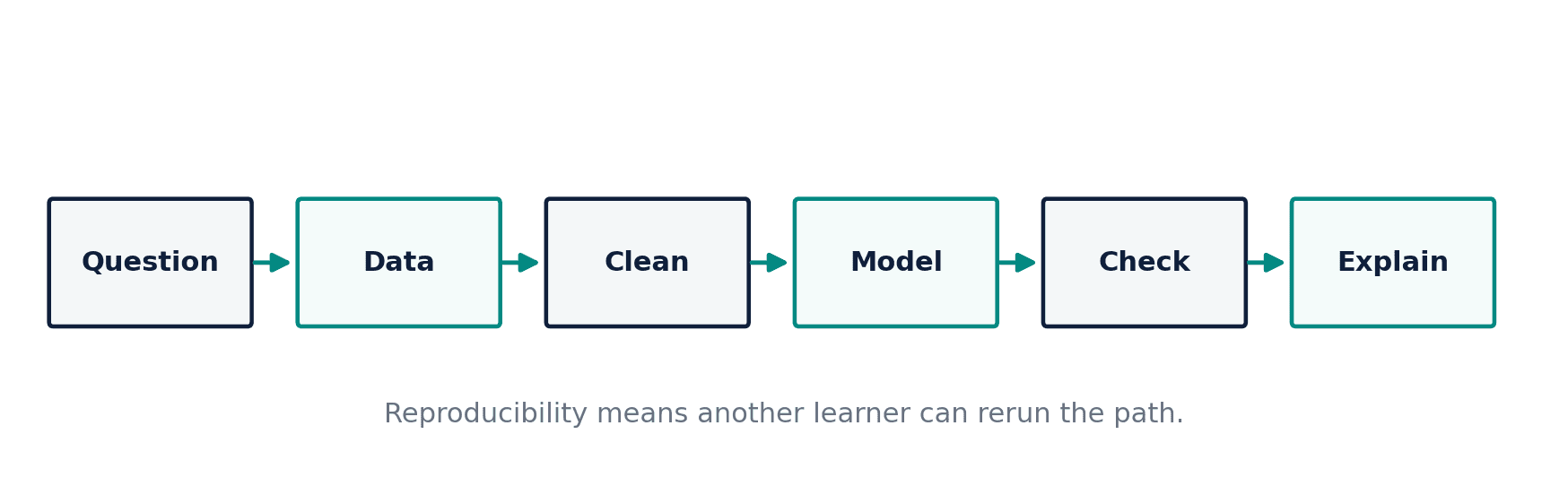
A clean environment converts “it worked on my laptop” into a documented computational setting that another learner can reconstruct.
Common Mistake
Running pip install inside random notebook cells. It creates hidden differences between runs and makes the notebook dependent on cell order.
Ceteris LAB Tip
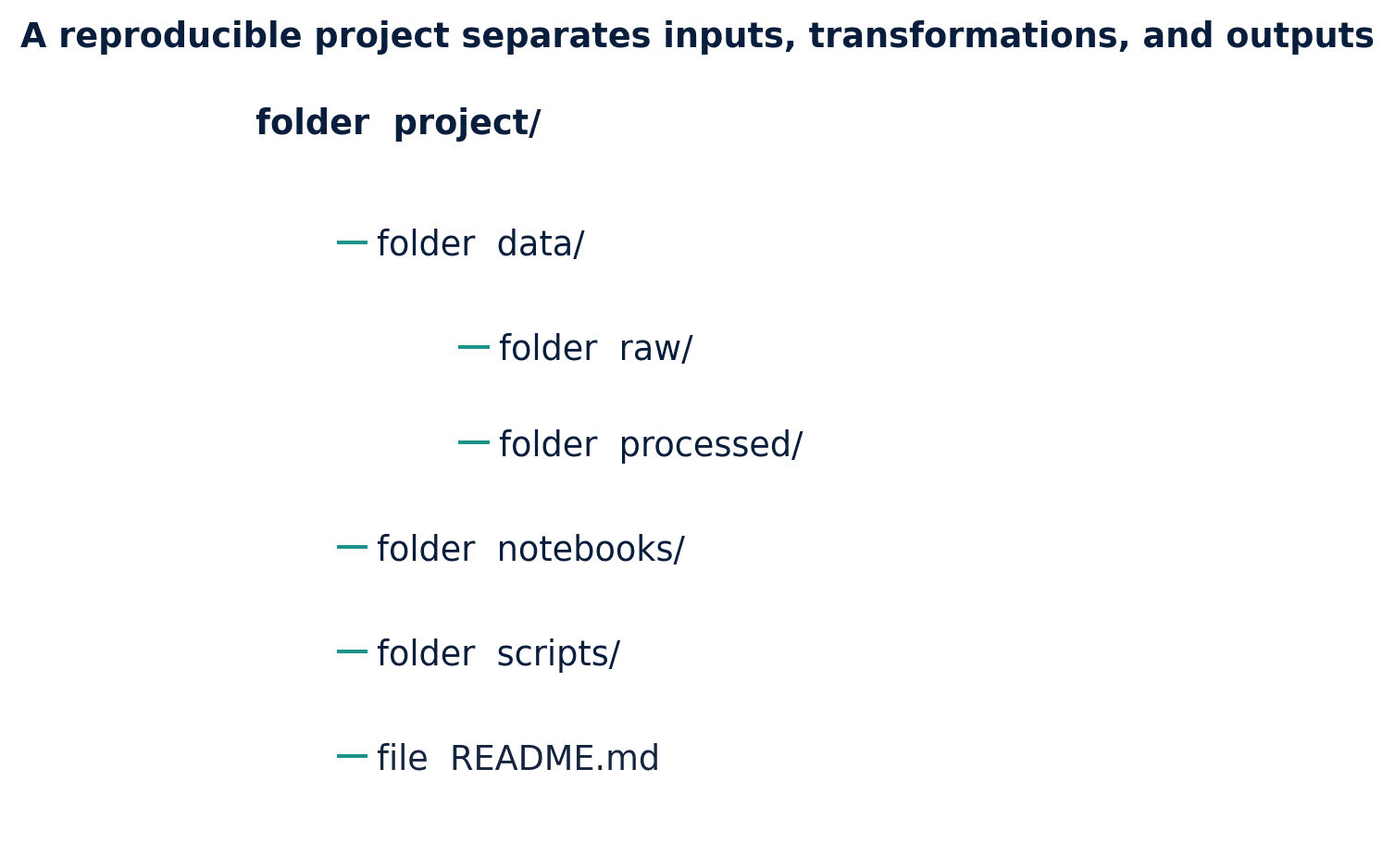
Keep installation commands in one setup file and analysis commands in notebooks or scripts.
R-to-Python / Source Bridge
The source notes taught graphical installation of R packages and manual working-directory changes. The modernized workflow centralizes dependencies and uses project-relative paths rather than personal directories (Tsay 2013).
| Symptom | Likely cause | First check |
|---|---|---|
| ModuleNotFoundError | Package absent from active environment | Print sys.executable |
| Notebook uses old package | Wrong kernel selected | Kernel menu and executable path |
| Command not found | Python not on PATH | python –version or py –version |
| Permission error | Restricted installation location | Use venv or Colab |
Visual evidence
Additional Python demonstrations
Live Python
Source demonstration 2
Source demonstration 2
Stdout
Run Python to see results here.
Status / stderr
Ready to run Python in your browser.
Line-by-line guide
- Line 1Load a Python library needed for data work or regression.
- Line 3Create or update a Python object used in the analysis.
- Line 4Create or update a Python object used in the analysis.
- Line 5Display a result so students can inspect the output.
- Line 6Display a result so students can inspect the output.
Verified source output
3.13.5
/opt/pyvenv/bin/python
Linux
data/frozen
True
3.13.5 /opt/pyvenv/bin/python Linux
data/frozen True
Interpretation. Your path will differ. The important point is that the notebook and the environment should refer to the same interpreter.
Interpretation. pathlib joins folders without hard-coded slashes and makes the intended location explicit.
Guided practice
- 1Re-run Demonstration 2.1 and change one input while keeping the analytical question fixed.
- 2Explain in two sentences how the output supports, or fails to support, the chapter opening question.
- 3Add one validation check that would prevent a plausible error.
Exercises
- 1Identify which Python interpreter your notebook uses.
- 2Create a new virtual environment and install NumPy and pandas.
- 3Explain the difference between an environment and a Jupyter kernel.
- 4Write a two-step troubleshooting checklist for ModuleNotFoundError.
Source and downloads
Chapter 2 of Fundamentals of Python for Financial Econometrics by Mohammad Safavi, Ph.D.. The lesson is an original Ceteris Lab web adaptation of the supplied publication package.
Live Python
Installing and Running Python: live Python
Installing and Running Python: live Python
Stdout
Run Python to see results here.
Status / stderr
Ready to run Python in your browser.
Line-by-line guide
- Line 1Load a Python library needed for data work or regression.
- Line 2Load a Python library needed for data work or regression.
- Line 4Display a result so students can inspect the output.
- Line 5Display a result so students can inspect the output.
- Line 6Display a result so students can inspect the output.
Python walkthrough
- 1`import platform`: Loads a package or function used by the analysis.
- 2`import sys`: Loads a package or function used by the analysis.
- 3`print(sys.version.split()[0])`: Displays a result so it can be checked and interpreted.
- 4`print(sys.executable)`: Displays a result so it can be checked and interpreted.
- 5`print(platform.system())`: Displays a result so it can be checked and interpreted.
Live notebook
Run this lesson as a notebook
Open an editable notebook cell-by-cell, run Python in the browser, and download the `.ipynb` file for later.
Related dataset
Ceteris Lab teaching sample
Estimated time
25 to 40 min
Packages
pandas, numpy
Expected output
Printed Python results that can be compared with the lesson explanation.
Learning goals
- Load and inspect Ceteris Lab teaching sample.
- Run the Python cells connected to Installing and Running Python.
- Interpret the output using Choose between local Python, JupyterLab, VS Code, and Google Colab and Create and activate a virtual environment.
Common errors
- File not found: check that wage_sample.csv is installed or use the course data folder.
- Package import error: use the browser notebook first, then download for local Jupyter if your local packages differ.
- Column name error: compare your variable names with the dataset variables listed for this notebook.
Dataset path helper
import pandas as pd

df = pd.read_csv("/data/wage_sample.csv")
df.head()
Interactive activity
Chapter 2 interactive
Reproducible Python decision lab
Which step should come before trusting a successful Python run?
Immediate feedback
Choose a decision, then test how the claim changes as evidence becomes stronger or weaker.
Try it yourself
Write one plain-English sentence explaining the main idea from this lesson.
Common mistakes
Check these before you move on.
Return to the lesson assumptions, units, diagnostics, and source evidence to replace this shortcut with a defensible interpretation.
Quick quiz
Which statement best answers the Chapter 2 opening question: What is the least fragile way to move from “I have a computer” to a working, reproducible Python environment?
Quick quiz
Which practice should be avoided when applying Installing and Running Python?
Quick quiz
What is the most defensible way to interpret the Python demonstration?
Quick quiz
Why does Chapter 2 matter in an applied econometrics workflow?
Key takeaway
Colab provides a no-install route; local environments provide more control. Virtual environments separate project dependencies. Interpreter and kernel mismatches are a frequent source of confusion.