Lesson 5
Decisions, Loops, and Iteration
Big question
How can a script apply a rule repeatedly while remaining easy to inspect?
Lesson progress
Complete checkpoints as you learn
Learning objectives
- Write conditional branches.
- Iterate with for and while loops.
- Use enumerate and zip.
- Recognize when vectorization is clearer.
- Prerequisites: Chapters 3 and 4.
- Key terms: if, for, while, iteration, enumerate, vectorization.
Simple explanation
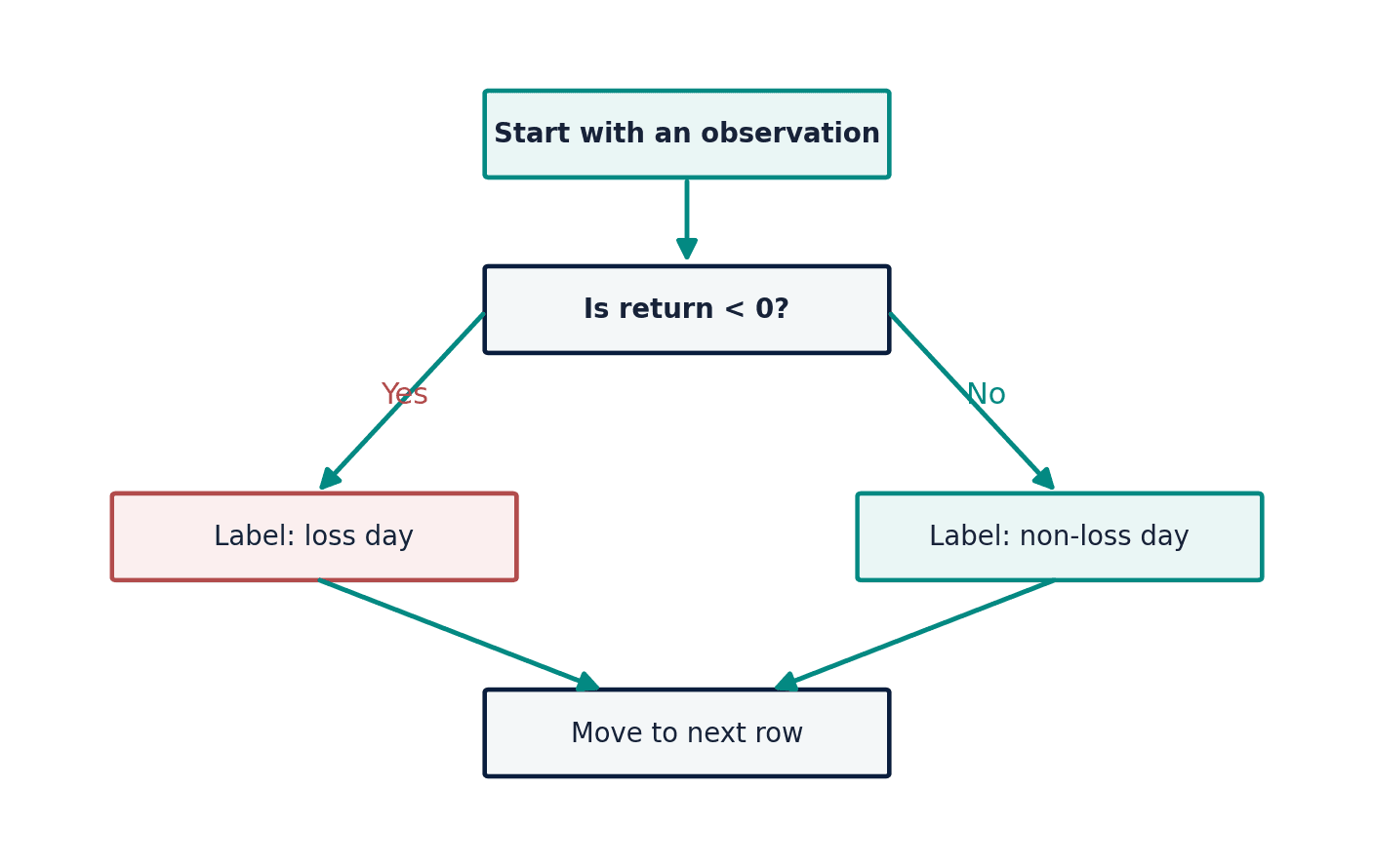
An if statement selects a path based on a Boolean expression. In finance, a branch might classify a return as a loss, gain, or no change. In data cleaning, it might reject a negative quantity that should never be negative. Conditions should be mutually understandable, and boundary values deserve attention. A rule using > differs from one using >=; that single character may decide which risk bucket receives an observation.
Key terms
- Write conditional branches
- A core idea in Chapter 5 that students apply carefully in economic analysis.
- Iterate with for and while loops
- A core idea in Chapter 5 that students apply carefully in economic analysis.
- enumerate and zip
- A core idea in Chapter 5 that students apply carefully in economic analysis.
- Recognize when vectorization is clearer
- A core idea in Chapter 5 that students apply carefully in economic analysis.
- Prerequisites: Chapters 3 and 4
- A core idea in Chapter 5 that students apply carefully in economic analysis.
- Key terms: if, for, while, iteration, enumerate, vectorization
- A core idea in Chapter 5 that students apply carefully in economic analysis.
Analytical workflow
Interpret the expression in words and units before using it in a claim.
Example
Interpretation. The zero case is handled explicitly rather than being absorbed into gain or loss.
Prerequisites
- Complete the preceding course chapters or review their summaries as needed.
Full theory and examples
5.2
Branches encode explicit rules
An if statement selects a path based on a Boolean expression. In finance, a branch might classify a return as a loss, gain, or no change. In data cleaning, it might reject a negative quantity that should never be negative. Conditions should be mutually understandable, and boundary values deserve attention. A rule using > differs from one using >=; that single character may decide which risk bucket receives an observation.
5.3
Loops reveal sequence
A for loop is appropriate when the script should visit each element of a known iterable. A while loop repeats until a condition changes and therefore requires special care to avoid infinite execution. enumerate supplies both position and value; zip walks through aligned sequences. These tools are valuable for file inventories, simulation replications, and diagnostic reports.
5.4
Vectorization is not a moral command
NumPy and pandas often replace Python loops with vectorized operations that are faster and shorter. Yet a transparent loop may be preferable for teaching a recursive forecast or validating a complex rule. The right question is not “Can I remove the loop?” but “Which form makes the algorithm easiest to verify?” Performance matters after correctness and clarity are established.
5.5
Python demonstrations
5.5.1
Demonstration 5.1: Classify returns
Verified output
Interpretation. The zero case is handled explicitly rather than being absorbed into gain or loss.
5.5.2
Demonstration 5.2: Iterate over aligned series
Verified output
Interpretation. zip assumes the sequences align. In real data, joins based on keys are usually safer than positional alignment.
5.6
Visual evidence
5.7
Reference table
Why This Matters
Control flow turns a static formula into a transparent decision procedure.
Common Mistake
Using while when the stopping condition is not guaranteed to change.
Ceteris LAB Tip
Test boundary values separately: exactly zero, exactly at the cutoff, and immediately on either side.
R-to-Python / Source Bridge
Later source examples rely on recursive forecasts and volatility updates. This chapter establishes the control-flow tools needed to understand those recursions.
| Pattern | Use | Risk |
|---|---|---|
| if/elif/else | exclusive decisions | unclear boundaries |
| for | known sequence | unnecessary mutation |
| while | condition-driven repetition | infinite loop |
| comprehension | short transform/filter | compressed complexity |
| vectorized expression | array calculation | hidden alignment assumptions |
Visual evidence
Additional Python demonstrations
Live Python
Source demonstration 2
Source demonstration 2
Stdout
Run Python to see results here.
Status / stderr
Ready to run Python in your browser.
Line-by-line guide
- Line 1Create or update a Python object used in the analysis.
- Line 2Create or update a Python object used in the analysis.
- Line 3Create or update a Python object used in the analysis.
- Line 4Display a result so students can inspect the output.
Verified source output
gain
loss
flat
1 Jan 2.9
2 Feb 2.8
3 Mar 2.7
gain loss flat
1 Jan 2.9 2 Feb 2.8 3 Mar 2.7
Interpretation. The zero case is handled explicitly rather than being absorbed into gain or loss.
Interpretation. zip assumes the sequences align. In real data, joins based on keys are usually safer than positional alignment.
Guided practice
- 1Re-run Demonstration 5.1 and change one input while keeping the analytical question fixed.
- 2Explain in two sentences how the output supports, or fails to support, the chapter opening question.
- 3Add one validation check that would prevent a plausible error.
Exercises
- 1Write a rule that labels inflation below 2, between 2 and 3, and above 3.
- 2Use a loop to compound a value for five years.
- 3Use enumerate to print observation numbers.
- 4Rewrite a simple loop as a list comprehension.
Source and downloads
Chapter 5 of Fundamentals of Python for Financial Econometrics by Mohammad Safavi, Ph.D.. The lesson is an original Ceteris Lab web adaptation of the supplied publication package.
Live Python
Decisions, Loops, and Iteration: live Python
Decisions, Loops, and Iteration: live Python
Stdout
Run Python to see results here.
Status / stderr
Ready to run Python in your browser.
Line-by-line guide
- Line 1Create or update a Python object used in the analysis.
- Line 2Run this Python instruction as part of the lesson workflow.
- Line 3Run this Python instruction as part of the lesson workflow.
- Line 4Create or update a Python object used in the analysis.
- Line 5Run this Python instruction as part of the lesson workflow.
- Line 6Create or update a Python object used in the analysis.
- Line 7Run this Python instruction as part of the lesson workflow.
- Line 8Create or update a Python object used in the analysis.
- Line 9Display a result so students can inspect the output.
Python walkthrough
- 1`returns = [0.02, -0.01, 0.0]`: Creates or updates a named object used by later steps.
- 2`for r in returns:`: Repeats the indented calculation across observations or simulation draws.
- 3`if r > 0:`: Applies a stated decision rule before continuing the calculation.
- 4`label = "gain"`: Creates or updates a named object used by later steps.
- 5`elif r < 0:`: Executes the next transparent step in the workflow.
- 6`label = "loss"`: Creates or updates a named object used by later steps.
- 7`else:`: Executes the next transparent step in the workflow.
- 8`label = "flat"`: Creates or updates a named object used by later steps.
- 9`print(label)`: Displays a result so it can be checked and interpreted.
Live notebook
Run this lesson as a notebook
Open an editable notebook cell-by-cell, run Python in the browser, and download the `.ipynb` file for later.
Related dataset
Ceteris Lab teaching sample
Estimated time
25 to 40 min
Packages
pandas, numpy
Expected output
Printed Python results that can be compared with the lesson explanation.
Learning goals
- Load and inspect Ceteris Lab teaching sample.
- Run the Python cells connected to Decisions, Loops, and Iteration.
- Interpret the output using Write conditional branches and Iterate with for and while loops.
Common errors
- File not found: check that wage_sample.csv is installed or use the course data folder.
- Package import error: use the browser notebook first, then download for local Jupyter if your local packages differ.
- Column name error: compare your variable names with the dataset variables listed for this notebook.
Dataset path helper
import pandas as pd

df = pd.read_csv("/data/wage_sample.csv")
df.head()
Interactive activity
Chapter 5 interactive
Reproducible Python decision lab
Which step should come before trusting a successful Python run?
Immediate feedback
Choose a decision, then test how the claim changes as evidence becomes stronger or weaker.
Try it yourself
Write one plain-English sentence explaining the main idea from this lesson.
Common mistakes
Check these before you move on.
Return to the lesson assumptions, units, diagnostics, and source evidence to replace this shortcut with a defensible interpretation.
Quick quiz
Which statement best answers the Chapter 5 opening question: How can a script apply a rule repeatedly while remaining easy to inspect?
Quick quiz
Which practice should be avoided when applying Decisions, Loops, and Iteration?
Quick quiz
What is the most defensible way to interpret the Python demonstration?
Quick quiz
Why does Chapter 5 matter in an applied econometrics workflow?
Key takeaway
Conditional branches express rules and boundaries. Loops repeat work over sequences or until conditions change. Vectorization is useful when it improves clarity and performance.