Lesson 6
Functions, Modules, Errors, and Testing
Big question
How can a calculation be trusted when it is reused in several chapters or projects?
Lesson progress
Complete checkpoints as you learn
Learning objectives
- Define reusable functions.
- Validate arguments and raise meaningful errors.
- Import modules without hidden state.
- Use assertions and tests for expected behaviour.
- Prerequisites: Chapters 3 to 5.
- Key terms: function, argument, return value, exception, module, test.
Simple explanation
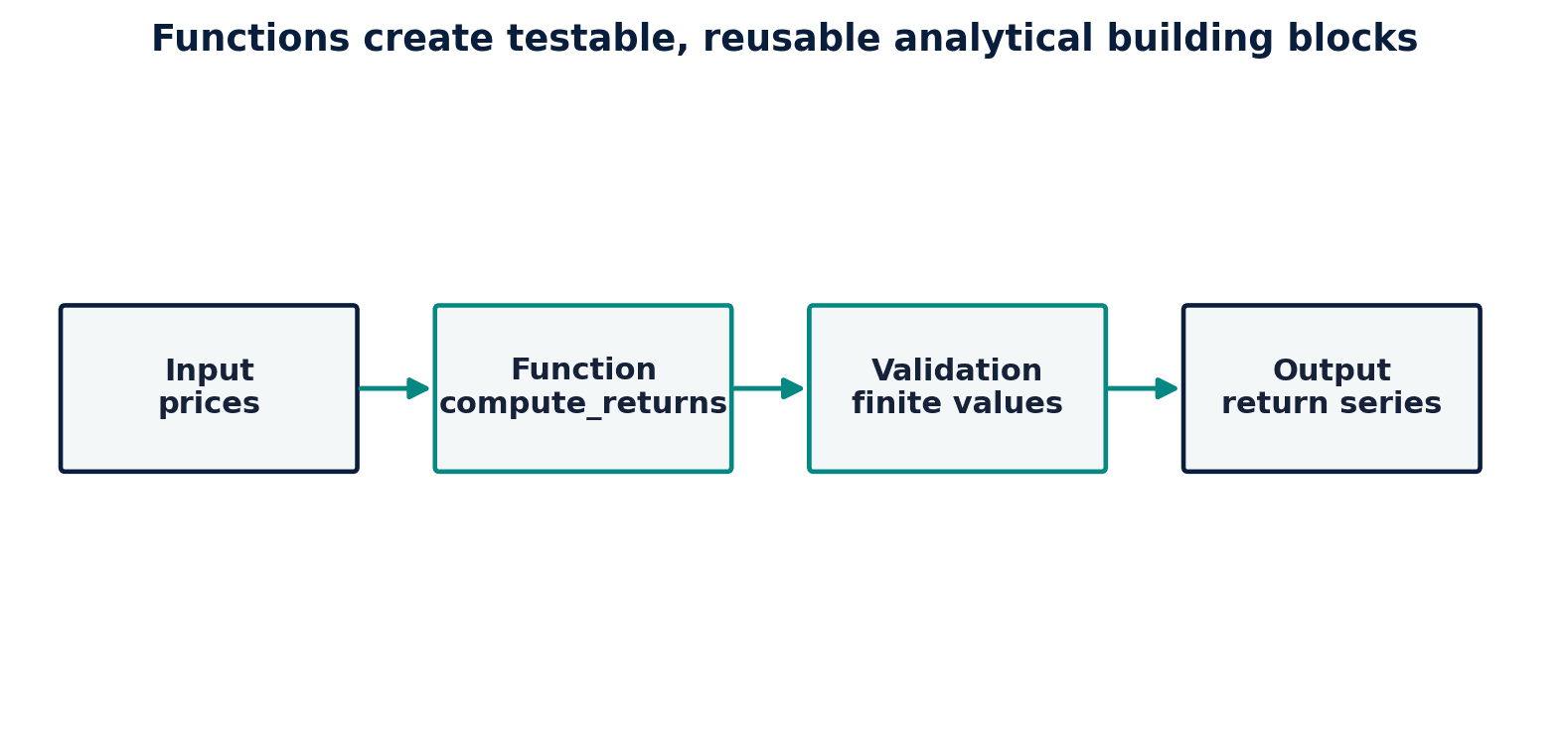
A function has a name, inputs, a task, and a return value. A good function performs one coherent job and documents the units or conventions it expects. In a return calculation, for example, the analyst should state whether prices must be positive and whether the output is a decimal or percentage. Small functions reduce duplication and make it possible to test the logic independently from the surrounding notebook.
Key terms
- Define reusable functions
- A core idea in Chapter 6 that students apply carefully in economic analysis.
- Validate arguments and raise meaningful errors
- A core idea in Chapter 6 that students apply carefully in economic analysis.
- Import modules without hidden state
- A core idea in Chapter 6 that students apply carefully in economic analysis.
- assertions and tests for expected behaviour
- A core idea in Chapter 6 that students apply carefully in economic analysis.
- Prerequisites: Chapters 3 to 5
- A core idea in Chapter 6 that students apply carefully in economic analysis.
- Key terms: function, argument, return value, exception, module, test
- A core idea in Chapter 6 that students apply carefully in economic analysis.
Analytical workflow
Interpret the expression in words and units before using it in a claim.
Example
Interpretation. The tiny binary representation difference is normal. Formatting or math.isclose is appropriate when comparing floating-point values.
Prerequisites
- Complete the preceding course chapters or review their summaries as needed.
Full theory and examples
6.2
A function is a contract
A function has a name, inputs, a task, and a return value. A good function performs one coherent job and documents the units or conventions it expects. In a return calculation, for example, the analyst should state whether prices must be positive and whether the output is a decimal or percentage. Small functions reduce duplication and make it possible to test the logic independently from the surrounding notebook.
6.3
Errors should explain the violated assumption
Python exceptions are not enemies to suppress. A ValueError can tell the student that a maturity is negative or that a price series contains zero. Catch an exception only when the program can respond meaningfully. A bare except hides programming errors and may allow an invalid analysis to continue. Input validation belongs close to the function boundary, before a long calculation compounds the mistake.
6.4
Tests protect meaning
A test checks a property that should remain true when code changes. Exact expected values are useful for deterministic functions; inequalities and tolerances are better for floating-point or simulation results. Tests should cover normal cases, boundaries, and invalid inputs. The objective is not to prove a program perfect but to make its key assumptions executable and visible.
6.5
Python demonstrations
6.5.1
Demonstration 6.1: A validated return function
Verified output
Interpretation. The tiny binary representation difference is normal. Formatting or math.isclose is appropriate when comparing floating-point values.
6.5.2
Demonstration 6.2: A lightweight test
Verified output
Interpretation. The first assertion protects the formula; the second check demonstrates that an invalid denominator is rejected.
6.6
Visual evidence
6.7
Reference table
Why This Matters
Functions and tests convert isolated notebook cells into reusable analytical components.
Common Mistake
Catching every exception and continuing. The notebook may finish while the analysis silently loses observations or substitutes bad values.
Ceteris LAB Tip
Write the test before optimizing the function. A faster wrong answer remains wrong at higher speed.
R-to-Python / Source Bridge
Several original lecture examples depended on external custom R scripts. This book replaces opaque dependencies with documented Python functions and validation tests.
| Test type | Question | Example |
|---|---|---|
| unit test | Does one function behave correctly? | simple_return(100, 105) |
| boundary test | What happens at an edge? | zero years |
| error test | Is invalid input rejected? | negative price |
| smoke test | Does the workflow run? | build all figures |
Visual evidence
Additional Python demonstrations
Live Python
Source demonstration 2
Source demonstration 2
Stdout
Run Python to see results here.
Status / stderr
Ready to run Python in your browser.
Line-by-line guide
- Line 1Load a Python library needed for data work or regression.
- Line 3Run this Python instruction as part of the lesson workflow.
- Line 4Run this Python instruction as part of the lesson workflow.
- Line 5Run this Python instruction as part of the lesson workflow.
- Line 6Run this Python instruction as part of the lesson workflow.
- Line 7Display a result so students can inspect the output.
Verified source output
0.050000000000000044
start_price must be positive
def simple_return(start_price: float, end_price: float) -> float:
raise ValueError("start_price must be positive")
print(simple_return(100, 105))
import math
assert math.isclose(simple_return(100, 105), 0.05)
simple_return(0, 105)
Interpretation. The tiny binary representation difference is normal. Formatting or math.isclose is appropriate when comparing floating-point values.
Interpretation. The first assertion protects the formula; the second check demonstrates that an invalid denominator is rejected.
Guided practice
- 1Re-run Demonstration 6.1 and change one input while keeping the analytical question fixed.
- 2Explain in two sentences how the output supports, or fails to support, the chapter opening question.
- 3Add one validation check that would prevent a plausible error.
Exercises
- 1Write a function that annualizes monthly volatility.
- 2Raise an error when frequency is not positive.
- 3Test the function at a known value.
- 4Move two related functions into a module and import them.
Source and downloads
Chapter 6 of Fundamentals of Python for Financial Econometrics by Mohammad Safavi, Ph.D.. The lesson is an original Ceteris Lab web adaptation of the supplied publication package.
Live Python
Functions, Modules, Errors, and Testing: live Python
Functions, Modules, Errors, and Testing: live Python
Stdout
Run Python to see results here.
Status / stderr
Ready to run Python in your browser.
Line-by-line guide
- Line 1Run this Python instruction as part of the lesson workflow.
- Line 2Run this Python instruction as part of the lesson workflow.
- Line 3Create or update a Python object used in the analysis.
- Line 4Run this Python instruction as part of the lesson workflow.
- Line 5Run this Python instruction as part of the lesson workflow.
- Line 7Display a result so students can inspect the output.
Python walkthrough
- 1`def simple_return(start_price: float, end_price: float) -> float:`: Defines a reusable function with an explicit analytical purpose.
- 2`"""Return the decimal holding-period return."""`: Executes the next transparent step in the workflow.
- 3`if start_price <= 0:`: Applies a stated decision rule before continuing the calculation.
- 4`raise ValueError("start_price must be positive")`: Executes the next transparent step in the workflow.
- 5`return end_price / start_price - 1`: Executes the next transparent step in the workflow.
- 6`print(simple_return(100, 105))`: Displays a result so it can be checked and interpreted.
Live notebook
Run this lesson as a notebook
Open an editable notebook cell-by-cell, run Python in the browser, and download the `.ipynb` file for later.
Related dataset
Ceteris Lab teaching sample
Estimated time
25 to 40 min
Packages
pandas, numpy
Expected output
Printed Python results that can be compared with the lesson explanation.
Learning goals
- Load and inspect Ceteris Lab teaching sample.
- Run the Python cells connected to Functions, Modules, Errors, and Testing.
- Interpret the output using Define reusable functions and Validate arguments and raise meaningful errors.
Common errors
- File not found: check that wage_sample.csv is installed or use the course data folder.
- Package import error: use the browser notebook first, then download for local Jupyter if your local packages differ.
- Column name error: compare your variable names with the dataset variables listed for this notebook.
Dataset path helper
import pandas as pd

df = pd.read_csv("/data/wage_sample.csv")
df.head()
Interactive activity
Chapter 6 interactive
Reproducible Python decision lab
Which step should come before trusting a successful Python run?
Immediate feedback
Choose a decision, then test how the claim changes as evidence becomes stronger or weaker.
Try it yourself
Write one plain-English sentence explaining the main idea from this lesson.
Common mistakes
Check these before you move on.
Return to the lesson assumptions, units, diagnostics, and source evidence to replace this shortcut with a defensible interpretation.
Quick quiz
Which statement best answers the Chapter 6 opening question: How can a calculation be trusted when it is reused in several chapters or projects?
Quick quiz
Which practice should be avoided when applying Functions, Modules, Errors, and Testing?
Quick quiz
What is the most defensible way to interpret the Python demonstration?
Quick quiz
Why does Chapter 6 matter in an applied econometrics workflow?
Key takeaway
Functions define reusable contracts. Meaningful exceptions expose violated assumptions. Tests make key expectations executable.